


Cara Membuat Menu Editor:
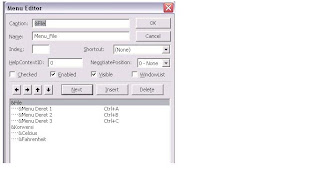
Untuk membuat Menu Editor ada 2 cara yaitu :
1. Pilih menu Tool dan pilih Menu Editor
2. Klick kanan pada mouse dan pilih Menu Editor
3. Tekan Ctrl+E pada keyboard
Cara Pembuatan :
• Caption diisi dengan nama menu yang kita inginkan contoh File ”&File” setiap penulisan di caption diawali dengan ”&”
• Name diisi dengan nama menu ditambah “Menu_” pada awalnya dan nama menu tidak memakai spasi, Misal “Menu_file”
• Jika kita ingin memasukan menu dalam suatu menu lain dapat digunakan atau mengklilk
• Kemudian akan muncul tampilan di form1 seperti berikut :
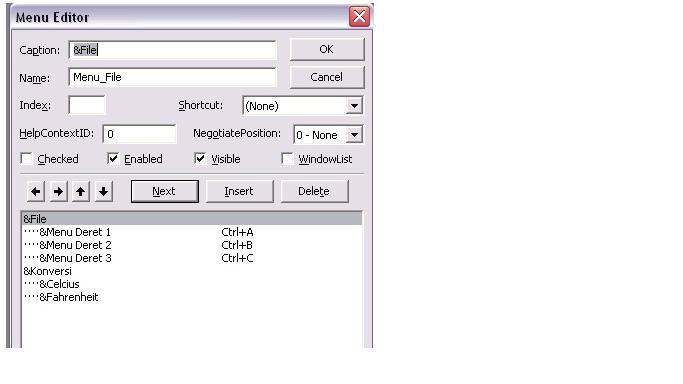
Untuk membuat Menu Editor ada 2 cara yaitu :
1. Pilih menu Tool dan pilih Menu Editor
2. Klick kanan pada mouse dan pilih Menu Editor
3. Tekan Ctrl+E pada keyboard
Cara Pembuatan :
• Caption diisi dengan nama menu yang kita inginkan contoh File ”&File” setiap penulisan di caption diawali dengan ”&”
• Name diisi dengan nama menu ditambah “Menu_” pada awalnya dan nama menu tidak memakai spasi, Misal “Menu_file”
• Jika kita ingin memasukan menu dalam suatu menu lain dapat digunakan atau mengklilk
• Kemudian akan muncul tampilan di form1 seperti berikut :


